Free to read — no account needed
Learn a topic by its structure
Every topic here is a concept graph: what there is to know, and how it connects. You see the shape of the subject instead of a list of chapters, and click any concept to see where it leads.
- Runs in your browser
- No ads, no tracking
- Download and open in the app
Why
Why learn by graph
Real knowledge is not a list — it is a web of concepts wired to each other. Studying it in that shape, instead of forcing it into sequential chapters, buys you the six things below.
See the whole shape first
The whole subject sits on one canvas: you know what there is to learn and how it relates before you read the first line.
Ideas that connect, stick
Memory holds a link between two things better than a fact standing alone — and a graph is nothing but links.
See the gaps before a test does
A concept with almost no lines to it is the one you understand the least — the graph points straight at it instead of leaving you to guess.
Start from anywhere
Start from what you already know and press focus to follow the links outward, instead of front page to back.
Prerequisites, out in the open
Before you dig into an idea, you see what it rests on — and the learning tree names the prerequisite it is missing, rather than inventing one.
One structure, five depths
From its spine to the whole graph, the same map holds — you go deep only where you need to, without starting over at another level.
The shelf
Topics
Content languageLoading the list…
The topic list could not be loaded. By a reader — not reviewed Published by Sign in Working… Could not reach the server. That email is not valid. Username: 2–32 characters — letters, digits, _ or -. Password: at least 8 characters. Signed in — your marks follow this name from now on. Signed out. Your marks stay on this machine. If that email has an account, a reset link was just sent to it. You cancelled the sign-in. That sign-in expired — press the button again. That email already has a password account — sign in with email and password. The provider did not return a verified email — try another way in. The server has not enabled this sign-in. This sign-in is not supported. Could not sign in — try again. Sign in first, then link — sign in and try again. That Google/Apple account already signs a different account in. Link another way in Link Google Link Apple Linked — this account now has one more way in.Each card is one topic: press it to open the graph. The stars are the rating other readers gave it, the download button hands you the same graph as a .kg.txt file the desktop app opens with Import graph, and a card wearing the warning mark was published by somebody using the app — hover the mark to see who.
Account
Your account
Reading is free and needs no account. An account keeps what you do: your marks, your stars, your place in the discussion.
What an account buys
- Progress that travels — the “learned” marks and their review dates live on your account, so another machine opens the same list.
- A rating on a topic — one to five stars, counted per language version: the Vietnamese and the English copy of the same topic are rated separately.
- The discussion under a document — ask, answer, report, right beside the concept you are reading.
- And an account page — change your password, see the graphs you published (and take one down), read back your own progress, sign out of this machine or every machine. No profile to fill in, no followers, no newsletter.
Three ways in
- A username and a password — an email address, a name of 2–32 characters (letters, digits, _ or -), and a password of at least 8 characters.
- Google or Apple — those buttons appear only when this deployment has them configured, and both return a verified email. An account that came in that way has no password to forget.
- Link more than one way in — sign in, then link the other provider: one account, several doors, one progress list.
- Forgot the password — a reset link by email. The page answers with the same sentence whether or not that address has an account, so nobody can use it to find out who signed up.
Already signed in? Your account page holds your password, the graphs you published, and your progress.
How it works
How a graph is made
A topic is built in two passes: first an ordered learning path, then each step produces the concepts in it. Concepts that repeat across steps are merged, so an idea that shows up in several places is still one node.
AI built these, so they can be wrong — a missing branch, an explanation that misses. Tell me when you spot one; that is how this gets better.
Inside a topic
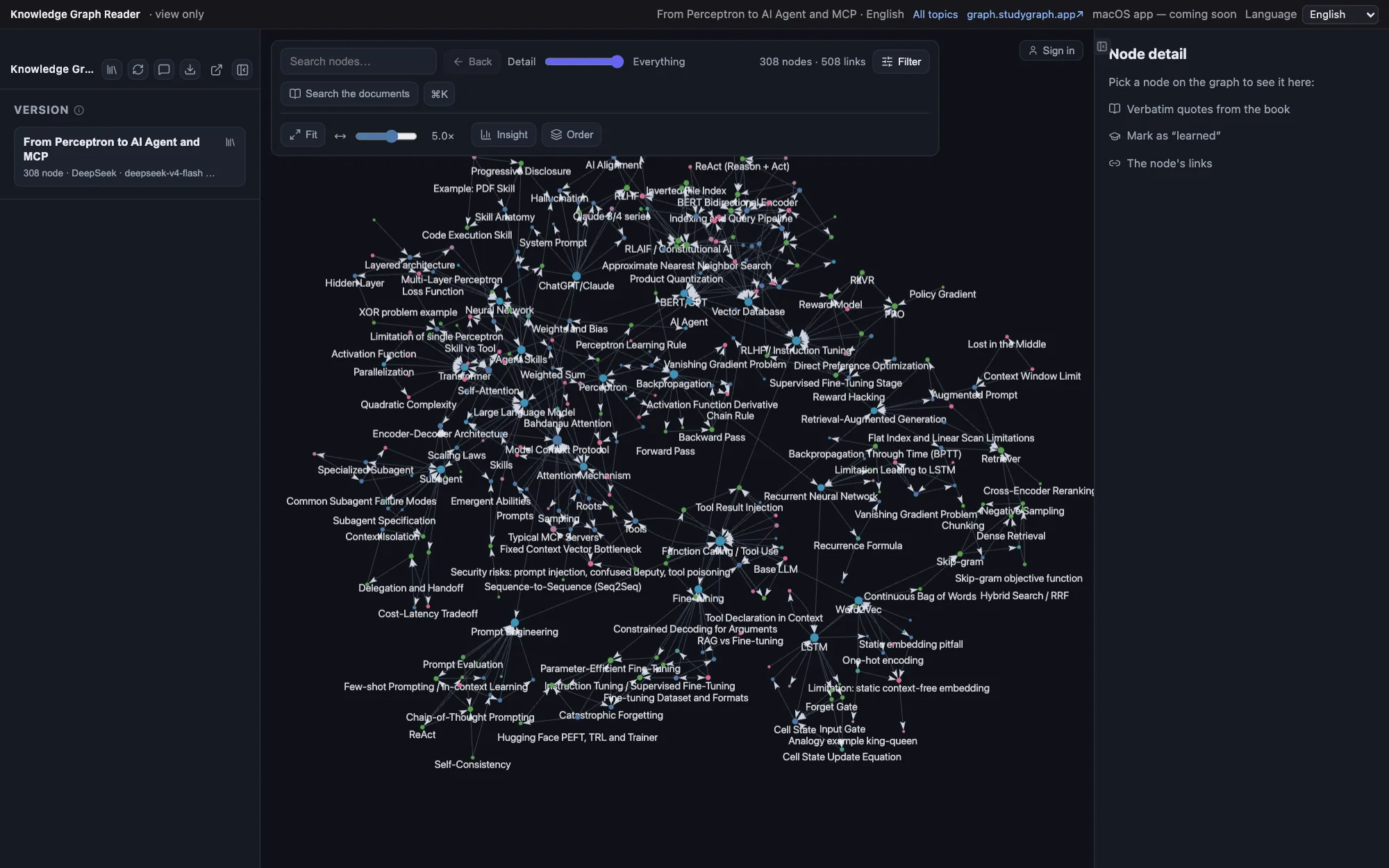
- A 2D graph you can drag and zoom — the whole subject on one canvas
- Search concepts, filter by preset, or focus on one concept and spread out one to three hops around it
- Five depths of the same graph on one slider, from its spine to all of it. dragging right only ever adds, never shuffles what you were reading
- Every concept: a summary, and the links that leave it
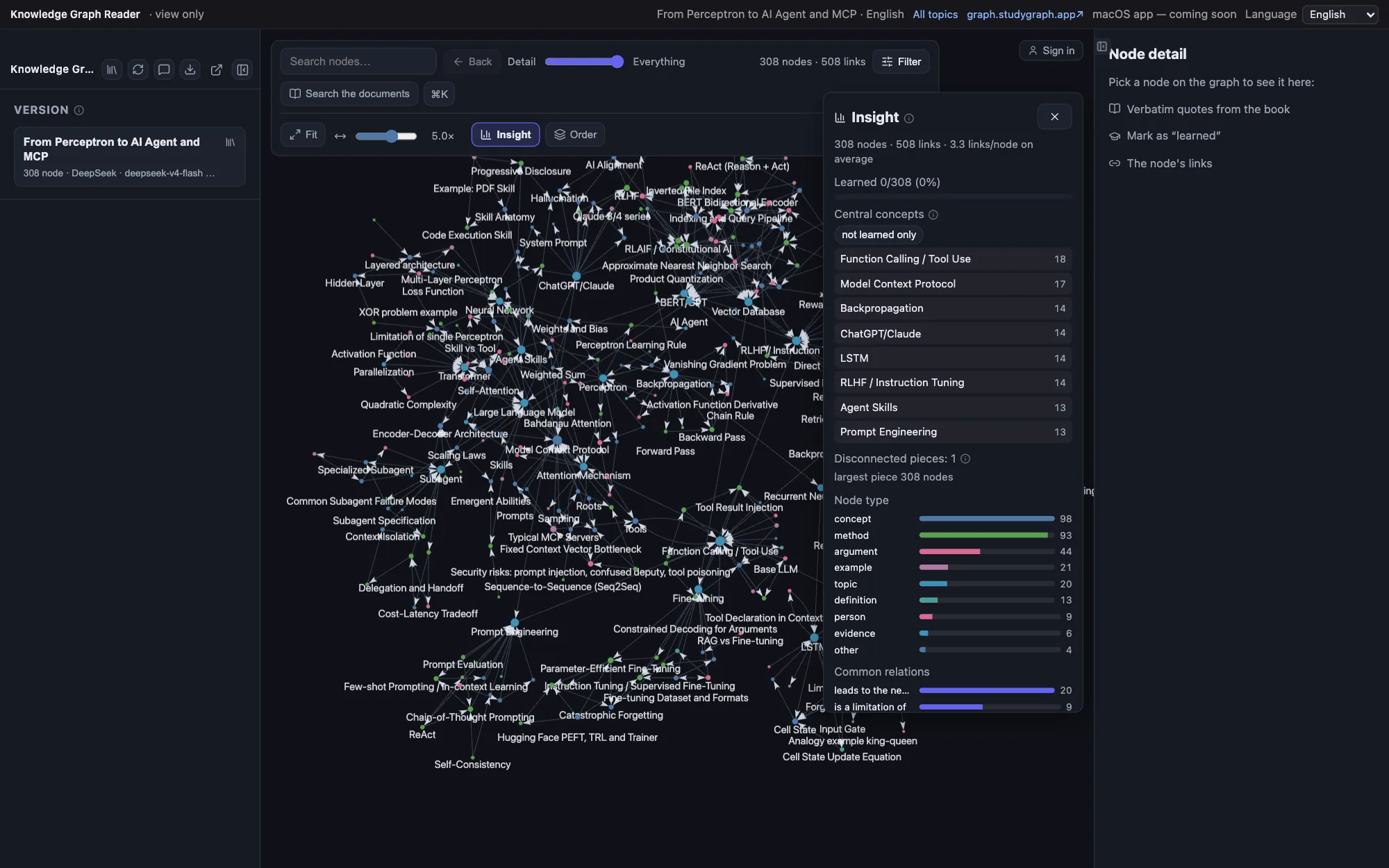
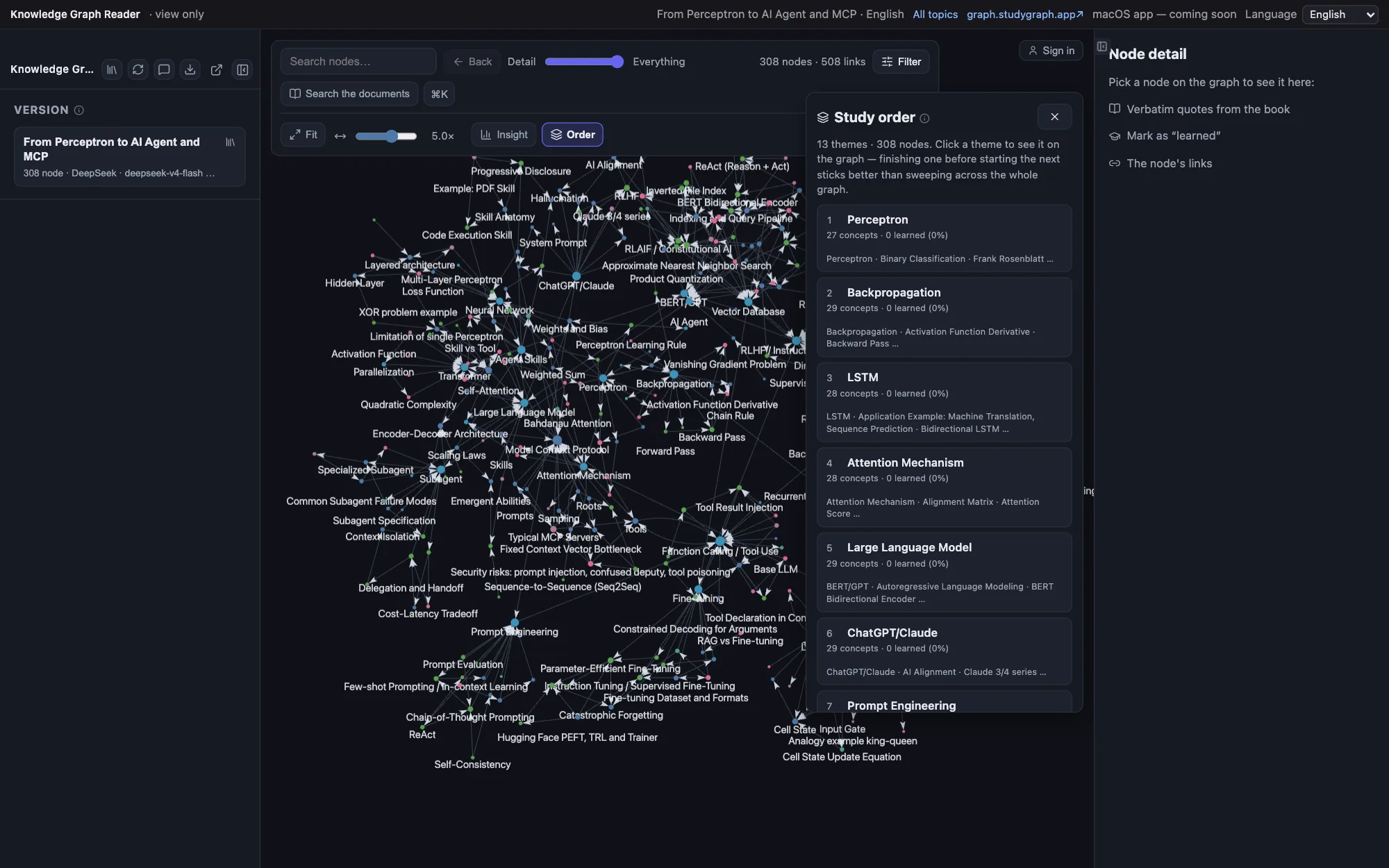
- Insights and a suggested study order for exactly the part of the graph you are looking at, not for the whole document
- Mark concepts learned, then work through what is due today — kept in your account, so another machine opens the same list
- Rate the topic, and join the discussion under the document
- Two tabs, one per content language: the Vietnamese topics and the English ones are separate shelves, nothing is translated on the fly, and switching a tab does not switch the page's language
- Download the whole graph as a
.kg.txt— the desktop app opens that file with Import graph, and your “learned” marks travel with it
What the desktop app adds
- Import PDF / EPUB / TXT / Markdown / XLSX / CSV, one file or a whole batch, or learn a brand new topic: the AI drafts an ordered learning path and you review, reorder and trim it before anything runs
- Verbatim citations: the sentence in the book that produced a concept, found by exact word match, never rewritten by the model
- Notes on any concept, with images pasted straight in
- Quiz: ten AI-written questions a round, six kinds of question, and the ones you miss are kept to ask again
- Ask AI about a concept, with the document it came from as context
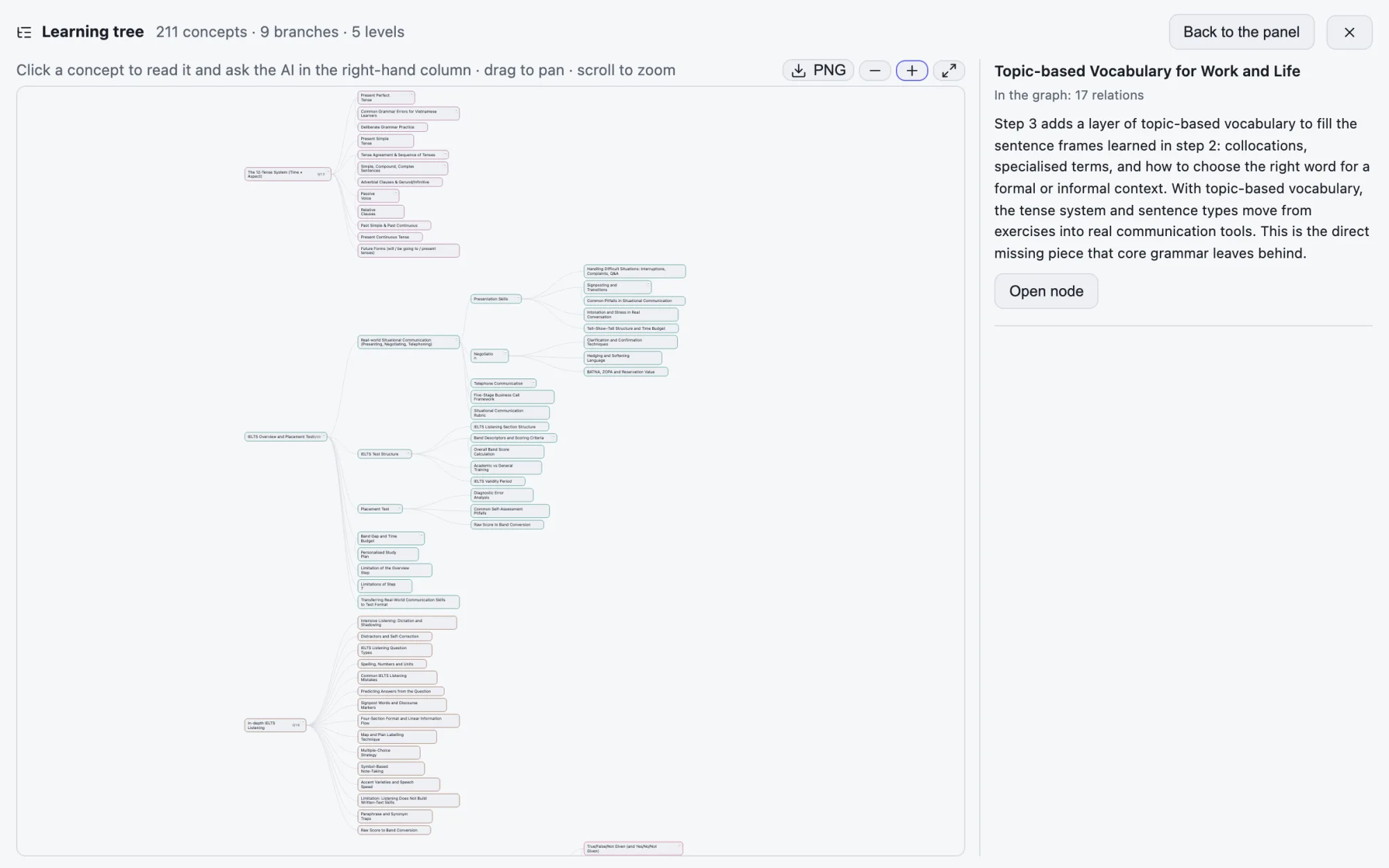
- A learning tree: the same concepts as a hierarchy you study in order, with the prerequisites it does not have yet named rather than invented
- Backups into a folder you already sync — iCloud Drive, Google Drive, OneDrive, Dropbox or any folder: one file, restorable, and your API key is not in it unless you ask for that
- Everything lives on your machine — and the app calls a model with your own key, or with a Claude Code / ChatGPT subscription you already pay for
- The shop inside the app: browse this same shelf and import a topic straight into your library, without opening the website first
Community
Topics readers publish
Publishing is sharing. It is how a graph leaves your machine: send somebody a link and they read exactly what you are reading, or put it on the shelf where the next reader finds it — without ever needing to know your name.
A graph you built or imported in the app can be published straight to this shelf from inside the app: it appears immediately, with no review queue, wearing the warning mark where a description would go — hover the mark to see who published it. It opens exactly like a baked topic, download button and rating included.
Publishing is reversible, and reversible means off the shelf — not off the internet: the file lives at its own address, so a link somebody already saved keeps working. Worth knowing before you press publish, not after.
Screenshots
The interface
Screenshots of a topic open in the reader, in English — the same interface you use here and in the desktop app.
Pricing
What it costs
Reading, searching, marking and reviewing here is free — every topic on the shelf is already built, so opening, downloading or importing one costs nothing.
The desktop app is free too. The only thing that costs money is the model that builds a graph from your own documents — you pay the provider directly, with your own API key or a Claude Code / ChatGPT subscription you already have. Everything else — notes, browsing, review, search, citations — runs on your machine, free.
The app never bills you or holds your card, and always shows which model built a graph — so a shallow one is easy to spot.
Download